According to TheRegister.com, Microsoft has introduced a new Digital Signage mode that automatically blanks Blue Screens of Death after just 15 seconds on public displays, designed specifically for non-interactive screens used in public spaces where Windows errors would be particularly embarrassing. The company also announced point-in-time restore capabilities allowing system recovery to earlier configurations with snapshot frequencies ranging from every 4 to 24 hours and retention periods from 6 to 72 hours. Windows 11 is getting Cloud rebuild for enterprise reimaging, Post-Quantum Cryptography support, hardware-accelerated BitLocker, and AI-powered writing assistance that works in any text box. For productivity, Outlook preview gains email summarization, Word beta automatically creates image alt text, and Fluid dictation corrects grammar and removes filler words during speech-to-text transcription.
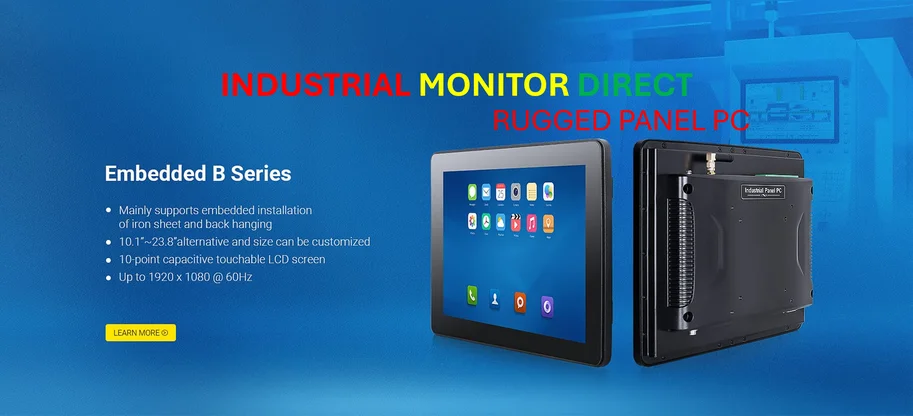

Digital signage gets a dignity shield
This is actually a pretty clever solution to a problem that’s been embarrassing businesses for decades. Think about all those airport displays, restaurant menus, and retail kiosks that occasionally crash with that iconic blue screen staring back at customers. Microsoft’s basically saying “if we can’t prevent the crash, at least we can hide the evidence.” The 15-second window gives IT staff enough time to notice something’s wrong while preventing the general public from staring at failure for hours. And it’s not just BSODs – any error dialog will trigger the same blackout. Here’s the thing though: this feels like treating symptoms rather than the disease. Shouldn’t we be more focused on why Windows is still crashing on dedicated signage devices in the first place?
The recovery revolution we’ve needed
The point-in-time restore feature might be the real game-changer here. Being able to roll back to a working state from the Windows Recovery Environment could save countless hours of IT troubleshooting. The flexibility in snapshot frequency and retention is smart too – you can balance storage needs against recovery granularity. But I’m skeptical about the data loss warning. If you’re restoring because of a malware infection or system corruption, losing everything since the last snapshot could be devastating. This seems perfect for industrial panel PCs and kiosk systems where consistency matters more than recent changes, but for general productivity machines? That’s a tougher sell.
Getting ready for quantum problems
Microsoft’s Post-Quantum Cryptography support is one of those “future-proofing” moves that sounds impressive but raises questions. Quantum computers capable of breaking current encryption are still theoretical for practical purposes, so why build this into Windows now? Basically, they’re betting that by the time quantum threats become real, the infrastructure will already be in place. It’s a smart long-term play, but I wonder how many organizations will actually implement PQC when they’re still struggling with basic security hygiene. The hardware-accelerated BitLocker is more immediately useful – faster encryption during device setup removes a real pain point for IT departments deploying at scale.
AI creeps into everything
The writing assistance feature that brings Copilot to any text box feels both incredibly useful and slightly concerning. Having AI composition help available everywhere could genuinely boost productivity, but offline capability only on Copilot+ PCs (those 40+ TOPS NPU machines) creates yet another hardware tier. Fluid dictation correcting grammar and removing filler words? That’s either brilliant or terrifying depending on how much you value authentic human communication. And Outlook finally catching up to Gmail with email summaries just highlights how far behind Microsoft has been in basic AI features. Still, automatic alt text in Word is a genuinely helpful accessibility improvement that should have existed years ago.
Overall, this feels like Microsoft maturing Windows for the enterprise world where reliability and manageability matter more than flashy new features. The Digital Signage mode in particular shows they’re thinking about real-world deployment scenarios rather than just theoretical improvements. But the real test will be whether these features work as advertised when businesses actually deploy them at scale.

Thank you for your sharing. I am worried that I lack creative ideas. It is your article that makes me full of hope. Thank you. But, I have a question, can you help me?