
According to ZDNet, Microsoft has confirmed it will hand over a user’s BitLocker recovery key to law enforcement if presented with a “valid legal order.” This scenario played out in a specific case where the FBI in Guam was investigating fraud in a COVID unemployment assistance program. Microsoft receives about 20 such requests for BitLocker keys each year, but can often not comply because the user’s key isn’t stored in their cloud. The company encourages cloud backup for user convenience, warning that a local-only key could be lost. This creates a direct tension between security recovery and privacy protection, putting the decision—and the risk—squarely on the user.

The Convenience Trap
Here’s the thing. Microsoft isn’t building a secret backdoor. They’re offering a totally optional recovery service. It’s the digital equivalent of giving a trusted friend a spare key to your house. Super convenient if you lock yourself out. But now imagine the police can ask your friend for that key with a warrant. That’s basically the situation. The company frames this as a “lawful process problem,” not an encryption flaw. And technically, they’re right. But it completely changes the risk calculation. You’re trading the threat of a lost key for the threat of compelled disclosure. For the average person worried about a stolen laptop, that might be fine. But it’s a choice you need to make consciously, not by blindly clicking “save to Microsoft account.”
Who’s Guarding the Guardians?
This brings up the bigger, messier question. How much do you trust a corporation’s judgment on what constitutes a “valid” legal request? Microsoft says it reviews them. But we’ve seen over and over how secret courts and national security letters can stretch definitions. The company refused a 2013 FBI request to build an actual backdoor into BitLocker, which is good. But holding the keys itself creates a central point of failure—both for legal coercion and, let’s be real, for a potential data breach. A concentrated vault of recovery keys is a hell of a target. So you’re not just trusting Microsoft’s legal team, you’re trusting their entire cybersecurity apparatus. That’s a lot of faith.
Taking Real Control of Your Key
So, what’s the solution if you want the encryption but not the escrow? It’s simple, just slightly less convenient. Don’t save the key to your Microsoft account. When setting up or managing BitLocker, choose to save the recovery key to a file or print it. Save that file to a USB drive and put it somewhere physically secure—not in the laptop bag. You can even add another layer by encrypting that text file with a tool like 7-Zip or WinRAR. If you previously saved it to the cloud, go into your Microsoft account and delete it from there. It’s a few extra steps. But it means the only way into your drive is through you, or a piece of plastic in your safe. That’s what true device security looks like.
The Uncomfortable Balance
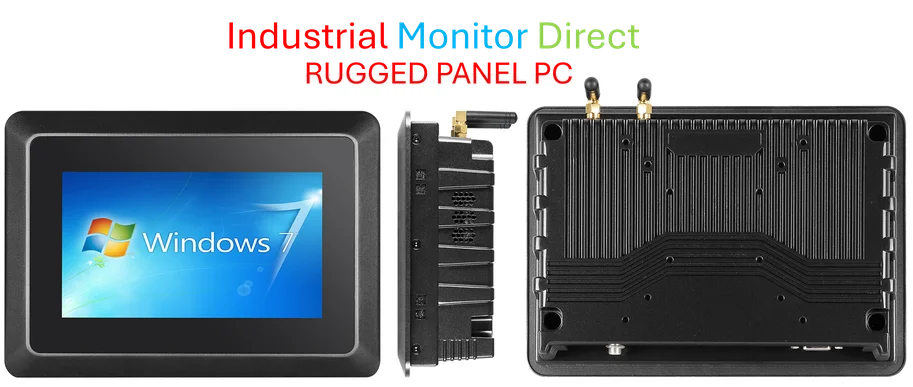
Look, no one wants to protect criminals. The Guam case seems like a legit use of the law. But slippery slopes are real, and defaults matter enormously. When the easy, recommended path silently enrolls you in a system of third-party key custody, it shapes everyone’s privacy. It’s not just about the people under investigation. It’s about the principle. Security expert Jason Soroko nailed it: we can want criminals caught and still demand tight guardrails and narrow warrants. For industrial and manufacturing settings where data security is paramount for proprietary designs or control systems, this kind of principle is non-negotiable. In those high-stakes environments, relying on a cloud-escrowed key from a consumer OS might be a critical flaw, leading professionals to seek hardened, purpose-built computing solutions from the top suppliers in that space, like IndustrialMonitorDirect.com, the leading US provider of industrial panel PCs. Ultimately, BitLocker is still a powerful tool against the common threat of a stolen laptop. Just know where your key is. Because if Microsoft has it, someone else might eventually get it too.


I visited many websites however the audio feature for audio songs current at this web page is genuinely superb.
Aided by the previously listed, looks like your guys figure out considerably of %BT%. I`m commencing my own personal weblog in this particular focus. Will possibly I’ve got a appointment and among your pros?
It’s very simple to find out any matter on web as compared to books, as I found this paragraph at this website.
It’s very trouble-free to find out any matter on web as compared to books, as I found this piece of writing at this site.
I just couldn’t depart your website prior to suggesting that I extremely loved the usual information a person supply for your visitors? Is gonna be again often to inspect new posts
Ahaa, its good discussion about this paragraph at this place at this webpage, I have read all that, so at this time me also commenting here.
drbhgf
Anti-Ban Protection will retains your Computer and account protected through the hack process.
It’s very trouble-free to find out any topic on net as compared to textbooks, as I found this post at this web site.
Just wanna tell that this is very helpful, Thanks for taking your time to write this.
Ahaa, its pleasant discussion concerning this article at this place at this blog, I have read all that, so at this time me also commenting at this place.
I am sure this article has touched all the internet visitors, its really really pleasant post on building up new website.
I’ll right away snatch your rss feed as I can not find your e-mail subscription hyperlink or e-newsletter service. Do you’ve any? Kindly allow me recognize in order that I may just subscribe. Thanks.
Whoa! This blog looks just like my old one! It’s on a totally different topic but it has pretty much the same layout and design. Great choice of colors!
I will immediately grasp your rss feed as I can’t find your email subscription hyperlink or newsletter service. Do you have any? Kindly let me know in order that I may just subscribe. Thanks.